Math Is Fun Forum
You are not logged in.
- Topics: Active | Unanswered
Pages: 1
#1 2026-01-24 16:05:10
- Jai Ganesh
- Administrator

- Registered: 2005-06-28
- Posts: 53,853
Smartphone
Smartphone
Gist
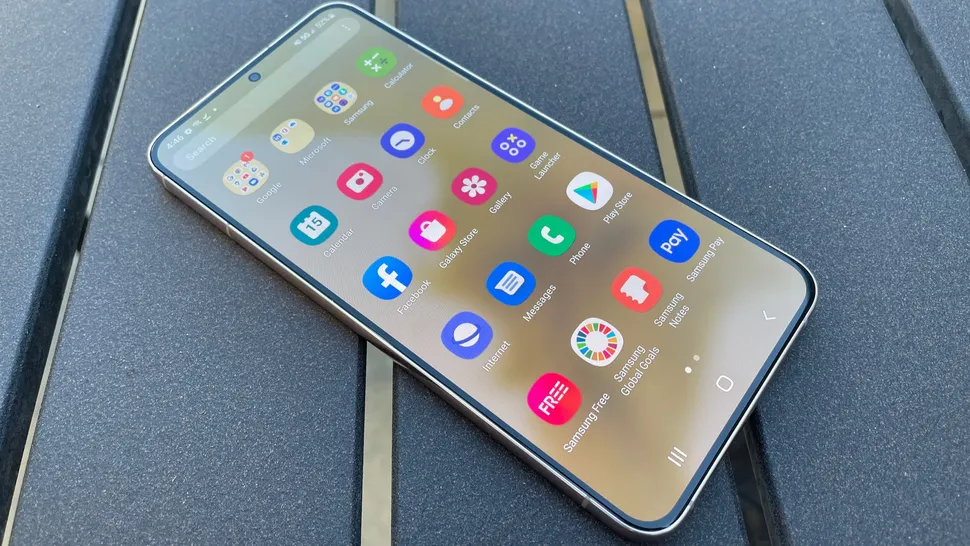
A cellphone is a mobile device for calls and texts, while a smartphone is a type of cellphone with advanced computing, internet, and app capabilities, essentially blending a phone with a handheld computer. All smartphones are cellphones, but basic cellphones (also called feature phones) lack the sophisticated operating systems, app stores, and features like GPS, email, and advanced cameras found on smartphones.
Smartphones offer a range of different benefits such as increased portability, improved user experience and accessibility compared to traditional computers. With smartphones users have instantaneous access to important documents, emails and applications which allows them to work more efficiently on the go.
Summary
A smartphone is a mobile device that combines the functionality of a traditional mobile phone with advanced computing capabilities. It typically has a touchscreen interface, allowing users to access a wide range of applications and services, such as web browsing, email, and social media, as well as multimedia playback and streaming. Smartphones have built-in cameras, GPS navigation, and support for various communication methods, including voice calls, text messaging, and internet-based messaging apps. Smartphones are distinguished from older-design feature phones by their more advanced hardware capabilities and extensive mobile operating systems, access to the internet, business applications, mobile payments, and multimedia functionality, including music, video, gaming, radio, and television.
Smartphones typically feature metal–oxide–semiconductor (MOS) integrated circuit (IC) chips, various sensors, and support for multiple wireless communication protocols. Examples of smartphone sensors include accelerometers, barometers, gyroscopes, and magnetometers; they can be used by both pre-installed and third-party software to enhance functionality. Wireless communication standards supported by smartphones include LTE, 5G NR, Wi-Fi, Bluetooth, and satellite navigation. By the mid-2020s, manufacturers began integrating satellite messaging and emergency services, expanding their utility in remote areas without reliable cellular coverage. Smartphones have largely replaced personal digital assistant (PDA) devices, handheld/palm-sized PCs, portable media players (PMP), point-and-shoot cameras, camcorders, and, to a lesser extent, handheld video game consoles, e-reader devices, pocket calculators, and GPS tracking units.
Following the rising popularity of the iPhone in the late 2000s, the majority of smartphones have featured thin, slate-like form factors with large, capacitive touch screens with support for multi-touch gestures rather than physical keyboards. Most modern smartphones have the ability for users to download or purchase additional applications from a centralized app store. They often have support for cloud storage and cloud synchronization, and virtual assistants. Since the early 2010s, improved hardware and faster wireless communication have bolstered the growth of the smartphone industry. As of 2014, over a billion smartphones are sold globally every year. In 2019 alone, 1.54 billion smartphone units were shipped worldwide. As of 2020, 75.05 percent of the world population were smartphone users.
Details
Isn’t it great when science fiction becomes science fact? If you’re a little older, you probably wanted a communication device just like the one Captain Kirk used in the TV series “Star Trek” when you were growing up. Kirk and the crew of the USS Enterprise could talk over vast distances with these personal communication devices. Without the “communicator, the order to “beam us up, Mr. Scott” would have fallen on deaf ears, and we all know what would have happened to Kirk if he didn’t have any bars on his device.
Now that we’re well into the 21st century, our “communicators” make the ones on “Star Trek” seem like antiques. Not only can we talk to one another on our smartphones, but we can text, play music or a game, get directions, take pictures, check e-mail, find a great restaurant, surf the Internet, watch a movie. You get the idea. Smartphones are cell phones on steroids. Why is that?
Unlike traditional cell phones, smartphones, with their big old memories, allow individual users like you and me to install, configure and run applications, or apps, of our choosing. A smartphone offers the ability to configure the device to your particular way of doing things. The software in the old-style flip phones offers only limited choices for reconfiguration, forcing you to adapt to the way they are set up. On a standard phone, whether or not you like the built-in calendar application, you’re stuck with it except for a few minor tweaks. But if that phone were a smartphone, you could install any compatible calendar application you liked.
Here's a list of some of the additional capabilities smartphones have, from intuitive to perhaps less so:
* Manage your personal info including notes, calendar and to-do lists
* Communicate with laptop or desktop computers
* Sync data with applications like Microsoft Outlook and Apple's iCal calendar programs
* Host applications such as word processing programs or video games
* Scan a receipt
* Cash a check
* Replace your wallet. A smartphone can store credit card information and discount or membership card info
* Pay bills by downloading apps such as PayPal and CardStar
* Allow you to create a WiFi network that multiple devices can use simultaneously. That means you can access the Internet from your iPad or laptop without a router or another peripheral device.
Work:
The Layers of a Smartphone
Everyone has a smartphone, or so it seems. In fact, there were an estimated 1.4 billion smartphones in the world as of December 2013. People are constantly talking on them, taking pictures, surfing the Internet and doing dozens of other things, including shopping for cars. Captain Kirk would be jealous.
At their core, smartphones, and all cell phones for that matter, are mini radios, sending and receiving radio signals. Cell phone networks are divided into specific areas called cells. Each cell has an antenna that receives cell phone signals. The antenna transmits signals just like a radio station, and your phone picks up those signals just as a radio does.
Smartphones use cell phone network technology to send and receive data (think phone calls, Web browsing, file transfers). Developers classify this technology into generations. Do you remember the first generation? It included analog cell phone technology. However, as cell phone technology progressed, the protocols became more advanced. In 2014, cell phones are in the world of the fourth generation, or 4G. Although most carriers are expanding their 4G technology, some companies, such as Samsung, are developing 5G technology, which if recent tests are any indication, will allow you to download an entire movie in less than a second. You can read more about network technologies and protocols in the article How Cell Phones Work.
Smartphone Hardware and Software
Smartphone Hardware and Software
As long as we're talking details, let's have a quick look at smartphone hardware.
Some smartphones run on processors. Along with processors, smartphones also have computer chips that provide functionality. Phones with cameras have high-resolution image sensors, just like digital cameras. Other chips support complex functions such as browsing the Internet, sharing multimedia files or playing music without placing too great a demand on the phone’s battery. Some manufacturers develop chips that integrate multiple functions to help reduce the overall cost (fewer chips produced per phone help offset production costs).
You can visualize software for smartphones as a software stack. The stack consists of the following layers:
kernel -- management systems for processes and drivers for hardware
middleware -- software libraries that enable smartphone applications (such as security, Web browsing and messaging)
application execution environment (AEE) -- application programming interfaces, which allow developers to create their own programs
user interface framework -- the graphics and layouts seen on the screen
application suite -- the basic applications users access regularly such as menu screens, calendars and message inboxes
Smartphone Operating Systems
The most important software in any smartphone is its operating system (OS). An operating system manages the hardware and software resources of smartphones. Some platforms cover the entire range of the software stack. Others may only include the lower levels (typically the kernel and middleware layers) and rely on additional software platforms to provide a user interface framework. We've added some snapshots of specific smartphone operating systems.
Designed primarily for touch-screen mobile devices, Android, or Droid, technology is the operating system that most mobile telephones used as of Comscore's February 2014 numbers. Developed by Google, most people consider the Droid technology revolutionary because its open source technology allows people to write program codes and applications for the operating system, which means Android is evolving constantly. Smartphone users can decide whether to download the applications. Moreover, Android operating systems can run multiple applications, allowing users to be multitasking mavens. And get this: Any hardware manufacturer is free to produce its own Android phone by using the operating system. In fact, many smartphone companies do just that. Android app’s store has hundreds of thousands of apps.
Apple is always innovating, and iOS allows iPhone screens to be used simply and logically. Touted by Apple as the “world’s most advance mobile operating system,” iOS supports more access from sports scores to restaurant recommendations. As of publication, its latest version iOS7 allows for automatic updates and a control center that gives users access to their most used features. It also makes surfing the net easier with an overhaul to the Safari browser.
Reviewers say that Windows Phone 8 (WP8) is as simple to use as iOS and as easy to customize as Android. Its crowning achievement is LiveTiles, which are programmed squares that users can rearrange on their screen to easily access the information they want. WP8 works well with other Microsoft products, including Office and Exchange. For those who do a lot of calling, connecting to Facebook and texting, WP8 may meet their needs.
At first glance, experts say, Ubuntu 13.10 Touch might seem like an ordinary operating system, but it’s not. Experts say Ubuntu Touch one of the easiest systems to use, allowing seamless navigation with multiple scopes. There are no hardware buttons on the bottom, for example. Instead, Ubuntu works from the edges. Developed by Canonical, the Ubuntu Touch allows users to unlock the phone from the right edge. You can swipe down from the top edge to access the phone’s indicators, including date, time, messages (from variety of sources, ie: Skype and Facebook) and wireless networks. The phone also makes it easy for people to organize and share photos. Every shot is automatically uploaded to a personal cloud account, which makes it available on all devices, including iOS, Android and Windows.
Flexible Interfaces
The core services on smartphones all tie in to the idea of a multipurpose device that can effectively multitask. A user can watch a video, field a phone call, then return to the video after the call, all without closing each application. Or he or she can flip through the digital calendar and to-do list applications without interrupting the voice call. All of the data stored on the phone can be synchronized with outside applications or manipulated by third-party phone applications in numerous ways. Here are a few systems that smartphones support.
Bluetooth
This short-range radio service allows phones to wirelessly link up with each other and with other nearby devices that support it. Examples include printers, scanners, input devices, computers and headsets.
Some varieties of Bluetooth only allow communication with one device at a time, but others allow simultaneous connection with multiple devices. To learn more, check out How Bluetooth Works.
Data Synchronization
A phone that keeps track of your personal information, like appointments, to-do lists, addresses, and phone numbers, needs to be able to communicate with all of the other devices you use to keep track of those things. There are hundreds of possible platforms and applications you might use for this in the course of a day. If you want to keep all of this data synchronized with what's on your phone, then you generally have to look for a cell phone that speaks the languages of all of the devices and applications you use. Or you can go out and buy new applications that speak the language of your cell phone.
The Open Mobile Alliance (OMA) is a collaborative organization with the following mission:
* Be the center of mobile service enabler specification work, helping the creation of interoperable services across countries, operators and mobile terminals that will meet the needs of the user.
The OMA formed a Data Synchronization Working Group, which continued the work begun by the SyncML Initiative. SyncML was an open-standards project designed to eliminate the trouble of worrying about whether your personal information manager tools sync up with your phone and vice versa. The project is designed so that any kind of data can be synchronized with any application on any piece of hardware, through any network, provided that they are all programmed to OMA standards. This includes synchronization over the Web, Bluetooth, mail protocols and TCP/IP networks.
SyncML allows data to be synchronized from a phone to Windows, Mac and Linux applications using Bluetooth, infrared, HTTP or a USB cable. Visit the OMA Web site for more information.
Java
A smartphone that's compatible with the Java programming language allows the user to load and run Java applications and MIDlets. MIDlets are applications that use a subset of Java and are specifically programmed to run on wireless devices. Java MIDlets include add-ons, games, applications and utilities.
Since there are millions of Java developers worldwide, and the Java development tools are freely accessible, smartphone users can install thousands of third-party applications on their phones. Because of the way the OS architecture of most phones is built, these applications can access and use all of the data on the user's phone.
The Future of Smartphones
With data transmission rates reaching blistering speeds and the incorporation of WiFi technology, the sky is the limit on what smartphones can do. Possibly the most exciting thing about smartphone technology is that the field is still wide open. It's an idea that probably hasn't found its perfect, real-world implementation yet. Every crop of phones brings new designs and new interface ideas. No one developer or manufacturer has come up with the perfect shape, size or input method yet. The next "killer app" smartphone could look like a flip phone, a tablet PC, a candy bar or something no one has conceived of yet.
Perhaps the most challenging consideration for the future is security. Smartphones may be vulnerable to security breaches such as an Evil Twin attack. In one of these attacks, a hacker sets a server’s service identifier to that of a legitimate hotspot or network while simultaneously blocking traffic to the real server. When a user connects with the hacker’s server, information can be intercepted and security is compromised.
On the other side, some critics argue that anti-virus software manufacturers greatly exaggerate the risks, harms and scope of phone viruses in order to help sell their software. Read more in the article How Cell Phone Viruses Work.
The incredible diversity in smartphone hardware, software and network protocols inhibit practical, broad security measures. Most security considerations either focus on particular operating systems or have more to do with user behavior than network security.
Additional Information
A smartphone is a mobile telephone with a display screen (typically a liquid crystal display, or LCD), built-in personal information management programs (such as an electronic calendar and address book)), and an operating system (OS) that allows other computer software to be installed for Web browsing, email, music, video, and other applications. A smartphone may be thought of as a handheld computer integrated within a mobile telephone.
The first smartphone was designed by IBM and sold by BellSouth (formerly part of the AT&T Corporation) in 1993. It included a touchscreen interface for accessing its calendar, address book, calculator, and other functions. As the market matured and solid-state computer memory and integrated circuits became less expensive over the following decade, smartphones became more computer-like, and more advanced services, such as Internet access, became possible. Advanced services became ubiquitous with the introduction of the so-called third-generation (3G) mobile phone networks in 2001. Before 3G, most mobile phones could send and receive data at a rate sufficient for telephone calls and text messages. Using 3G, communication takes place at bit-rates high enough for sending and receiving photographs, video clips, music files, e-mails, and more. Most smartphone manufacturers license an operating system, such as Microsoft Corporation’s Windows Mobile OS, Symbian OS, Google’s Android OS, or Palm OS. Research in Motion’s BlackBerry and Apple Inc.’s iPhone have their own proprietary systems.
Smartphones contain either a keyboard integrated with the telephone number pad or a standard “QWERTY” keyboard for text messaging, e-mailing, and using Web browsers. “Virtual” keyboards can be integrated into a touch-screen design. Smartphones often have a built-in camera for recording and transmitting photographs and short videos. In addition, many smartphones can access Wi-Fi “hot spots” so that users can access VoIP (voice over Internet protocol) rather than pay cellular telephone transmission fees. The growing capabilities of handheld devices and transmission protocols have enabled a growing number of inventive and fanciful applications—for instance, “augmented reality,” in which a smartphone’s global positioning system (GPS) location chip can be used to overlay the phone’s camera view of a street scene with local tidbits of information, such as the identity of stores, points of interest, or real estate listings.
4G
4G (Fourth Generation) is a mobile network technology offering significantly faster data speeds than 3G, enabling HD streaming, faster browsing, and lower latency. It primarily uses 4G LTE (Long Term Evolution) to provide speeds, often up to 100 Mbps, and is designed for all-IP, packet-switched communication, including voice-over-LTE (VoLTE).
4G refers to the fourth generation of cellular network technology, introduced in the late 2000s and early 2010s. Compared to preceding third-generation (3G) technologies, 4G has been designed to support all-IP communications and broadband services, and eliminates circuit switching in voice telephony.[1] It also has considerably higher data bandwidth compared to 3G, enabling a variety of data-intensive applications such as high-definition media streaming and the expansion of Internet of Things (IoT) applications.
The earliest deployed technologies marketed as "4G" were Long Term Evolution (LTE), developed by the 3GPP group, and Mobile Worldwide Interoperability for Microwave Access (Mobile WiMAX), based on IEEE specifications. These provided significant enhancements over previous 3G and 2G.
Technical overview
In November 2008, the International Telecommunication Union-Radio communications sector (ITU-R) specified a set of requirements for 4G standards, named the International Mobile Telecommunications Advanced (IMT-Advanced) specification, setting peak speed requirements for 4G service at 100 megabits per second (Mbit/s)(=12.5 megabytes per second) for high mobility communication (such as from trains and cars) and 1 gigabit per second (Gbit/s) for low mobility communication (such as pedestrians and stationary users).[5]
Since the first-release versions of Mobile WiMAX and LTE support much less than 1 Gbit/s peak bit rate, they are not fully IMT-Advanced compliant, but are often branded 4G by service providers. According to operators, a generation of the network refers to the deployment of a new non-backward-compatible technology. On December 6, 2010, ITU-R recognized that these two technologies, as well as other beyond-3G technologies that do not fulfill the IMT-Advanced requirements, could nevertheless be considered "4G", provided they represent forerunners to IMT-Advanced compliant versions and "a substantial level of improvement in performance and capabilities with respect to the initial third generation systems now deployed". Both the original LTE and WiMAX standards had previously sometimes been referred to as 3.9G/3.95G. The ITU's new definition for 4G also included Evolved High Speed Packet Access (HSPA+).
Mobile WiMAX Release 2 (also known as WirelessMAN-Advanced or IEEE 802.16m) and LTE Advanced (LTE-A) are IMT-Advanced compliant backwards compatible versions of the above two systems, standardized during the spring 2011, and promising speeds in the order of 1 Gbit/s. In January 2012, the ITU backtracked on its previous definition for 4G, claiming that Mobile WiMAX 2 and LTE Advanced are "true 4G" while their predecessors are "transitional" 3G-4G.
As opposed to earlier generations, a 4G system does not support traditional circuit-switched telephony service, but instead relies on all-Internet Protocol (IP) based communication such as IP telephony. As seen below, the spread spectrum radio technology used in 3G systems is abandoned in all 4G candidate systems and replaced by OFDMA multi-carrier transmission and other frequency-domain equalization (FDE) schemes, making it possible to transfer very high bit rates despite extensive multi-path radio propagation (echoes). The peak bit rate is further improved by smart antenna arrays for multiple-input multiple-output (MIMO) communications.
5G
5G, fifth-generation telecommunications technology. Introduced in 2019 and now globally deployed, 5G delivers faster connectivity with higher bandwidth and “lower latency” (shorter delay times), improving the performance of phone calls, streaming, videoconferencing, gaming, and business applications as well as the responsiveness of connected systems and mobile apps. 5G can double the download speeds for smartphones and improve performance considerably more for devices tied to the Internet of Things (IoT).
5G technology improves the data processing of more-advanced digital operations such as those tied to machine learning (ML), artificial intelligence (AI), virtual reality (VR), and augmented reality (AR), improving performance and the user experience alike. It also better supports autonomous vehicles, drones, and other robotic systems.
How 5G works
5G signals rely on a different part of the radiofrequency spectrum than previous versions of cellular technology. As a result, mobile phones and other devices must be built with a specific 5G microchip.
Three primary types of 5G technology exist: low-band networks that support a wide coverage area but increase speeds only by about 20 percent over 4G; high-band networks that deliver ultrafast connectivity but which are limited by distance and access to 5G base stations (which transmit the signals for the technology); and mid-band networks that balance both speed and breadth of coverage. 5G also supports “OpenRoaming” capabilities that allow a user to switch seamlessly and automatically from a cellular to a Wi-Fi connection while traveling, eliminating any interruption of service and the need for entering passwords to access the latter.
Telecom providers use a different type of antenna, known as MIMO (multiple-input multiple-output), to transmit 5G signals. This does not require the traditional large cell tower (base station) but can be deployed through a multiplicity of “small cells” (which are the micro boxes commonly seen on poles and lamp posts). Many observers see this as an aesthetic improvement to the city landscape. Proximity to these cells remains an issue globally, however, especially for rural and remote regions, underscoring the current limitations of 5G.
Security concerns accompany changing technologies. Since 5G networks rely on cloud-based data storage, they are susceptible to the same possible dangers as other types of cellar and noncellular networks, including data damage, cyberattacks, and theft. Additionally, companies must be mindful of data-point vulnerabilities during a transition to 5G from networks with different security capabilities.
It appears to me that if one wants to make progress in mathematics, one should study the masters and not the pupils. - Niels Henrik Abel.
Nothing is better than reading and gaining more and more knowledge - Stephen William Hawking.
Offline
Pages: 1